POV-SWiTCH (OBS)
A downloadable tool for Windows

POV-SWiTCH is a free, lightweight, community-driven video production tool designed specifically for streamers and content creators (Twitch, Kick, Youtube...).
Developed by independent creator Tatsunao, the software functions as a digital control room, allowing a streamer to coordinate multiple remote camera operators using only their smartphones, and seamlessly broadcast those feeds into OBS Studio.
The core philosophy of the software revolves around simplicity, low latency, and removing barriers to entry: it requires absolutely no app installation, no user accounts, and no subscriptions for the participants.
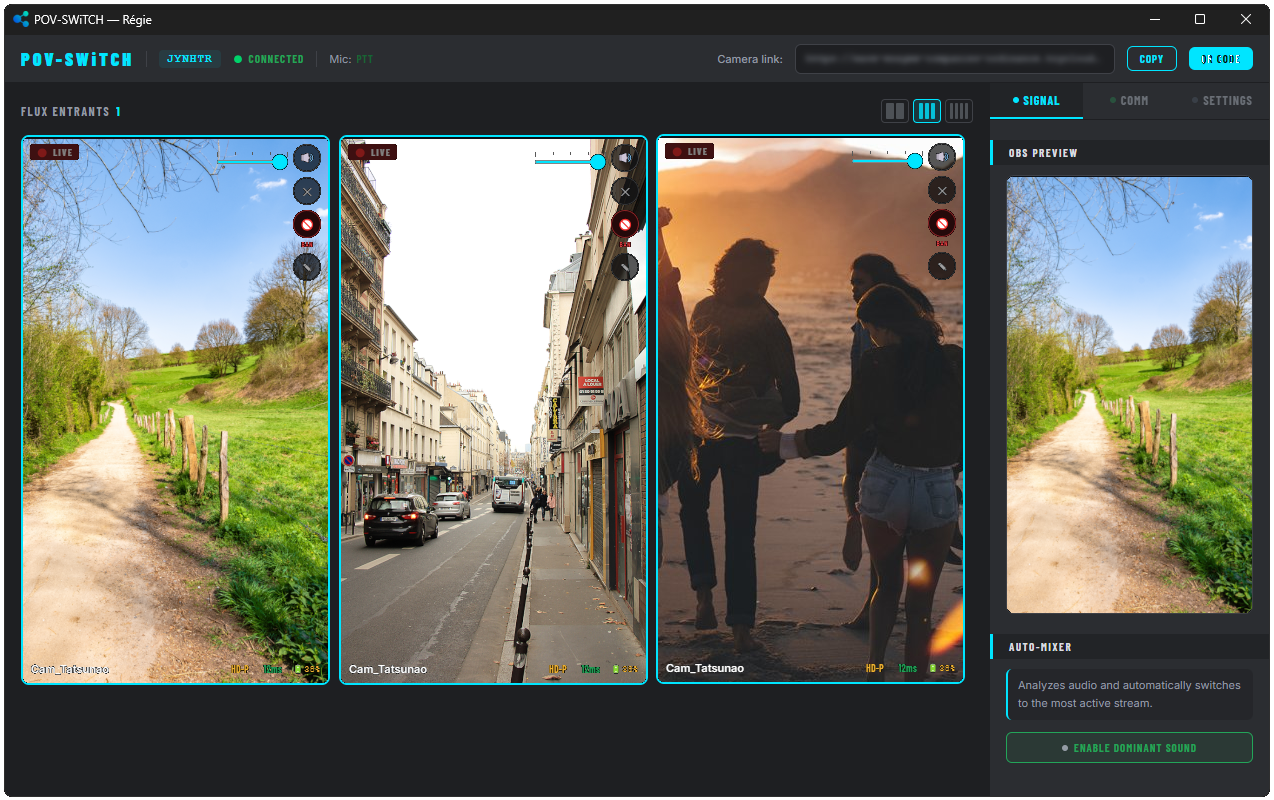
🖥️ The Director's Control Room (For the Streamer)
The streamer runs a lightweight Windows application that acts as the local server and command center. From this interface, they can manage the entire live production:
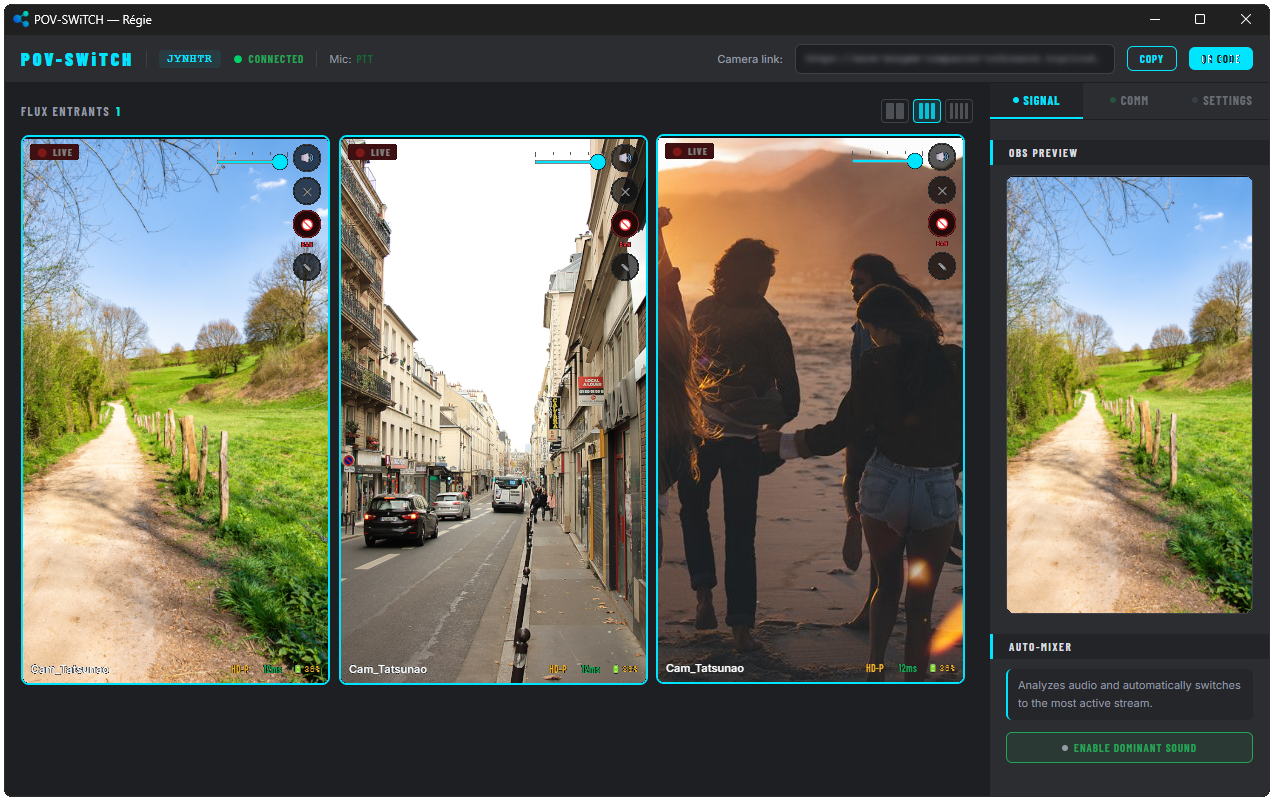
- Live Grid Management: The interface provides a grid view of all connected smartphone cameras. Clicking a tile instantly sends that feed live to OBS with a smooth transition.
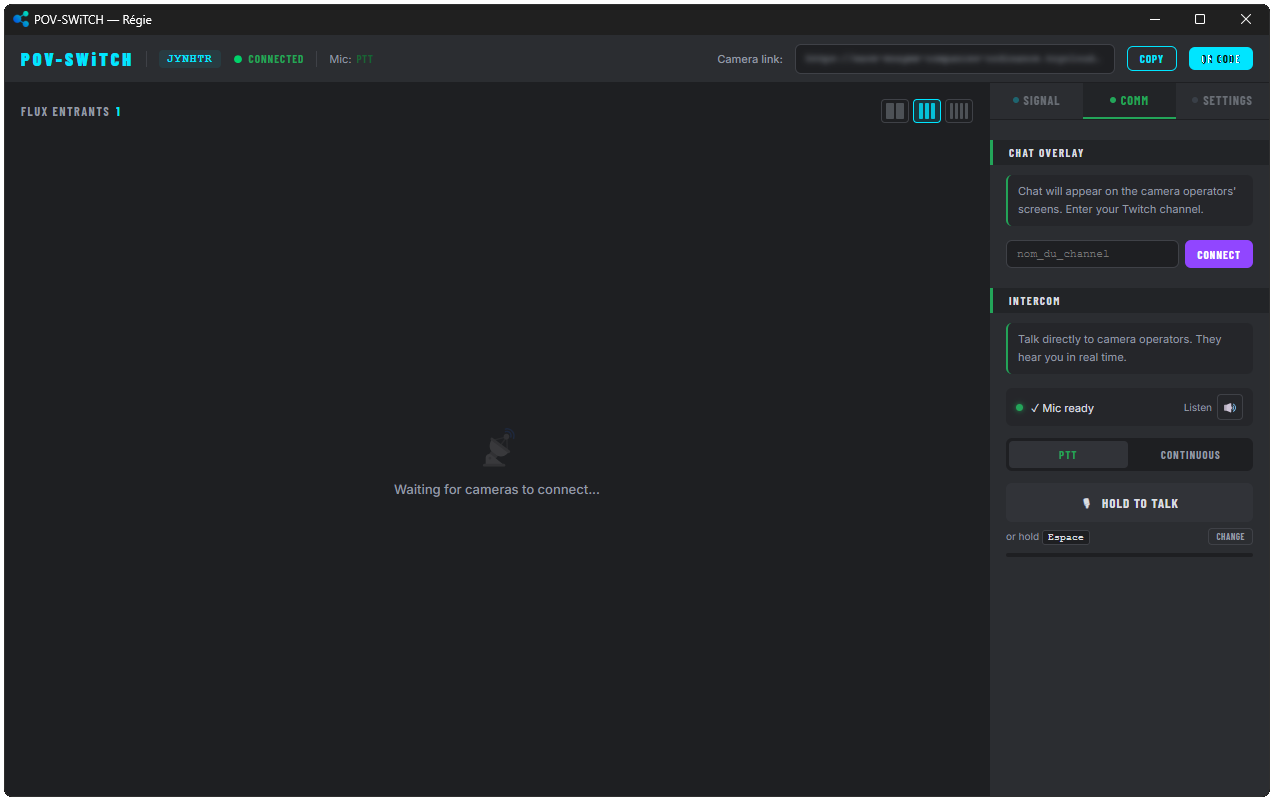
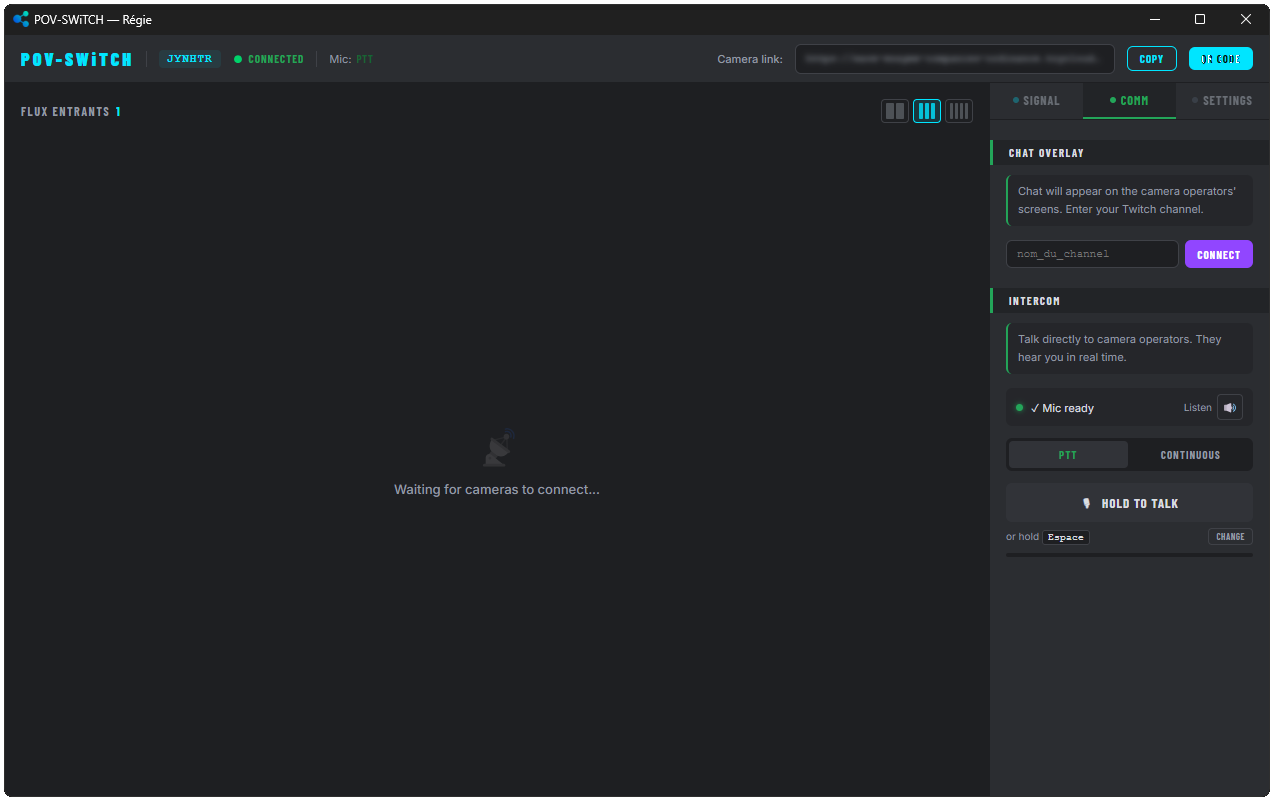
- Backstage Intercom: Features a built-in "Push-to-Talk" system. The streamer can give direct instructions to the camera operators in their earpieces without the live Twitch audience hearing anything.
- Audio Auto-Mixer: A hands-free mode that analyzes audio inputs and automatically switches the live camera to the participant who is currently speaking or most vocally active.
- Real-Time Moderation: Hover controls allow the streamer to adjust individual volume levels, mute feeds, rename operators, or issue permanent session bans for disruptive participants.
- Built-in Fail-safes: If the currently broadcasted camera loses its connection, the software automatically switches to the next available operator to prevent a black screen on the live stream.
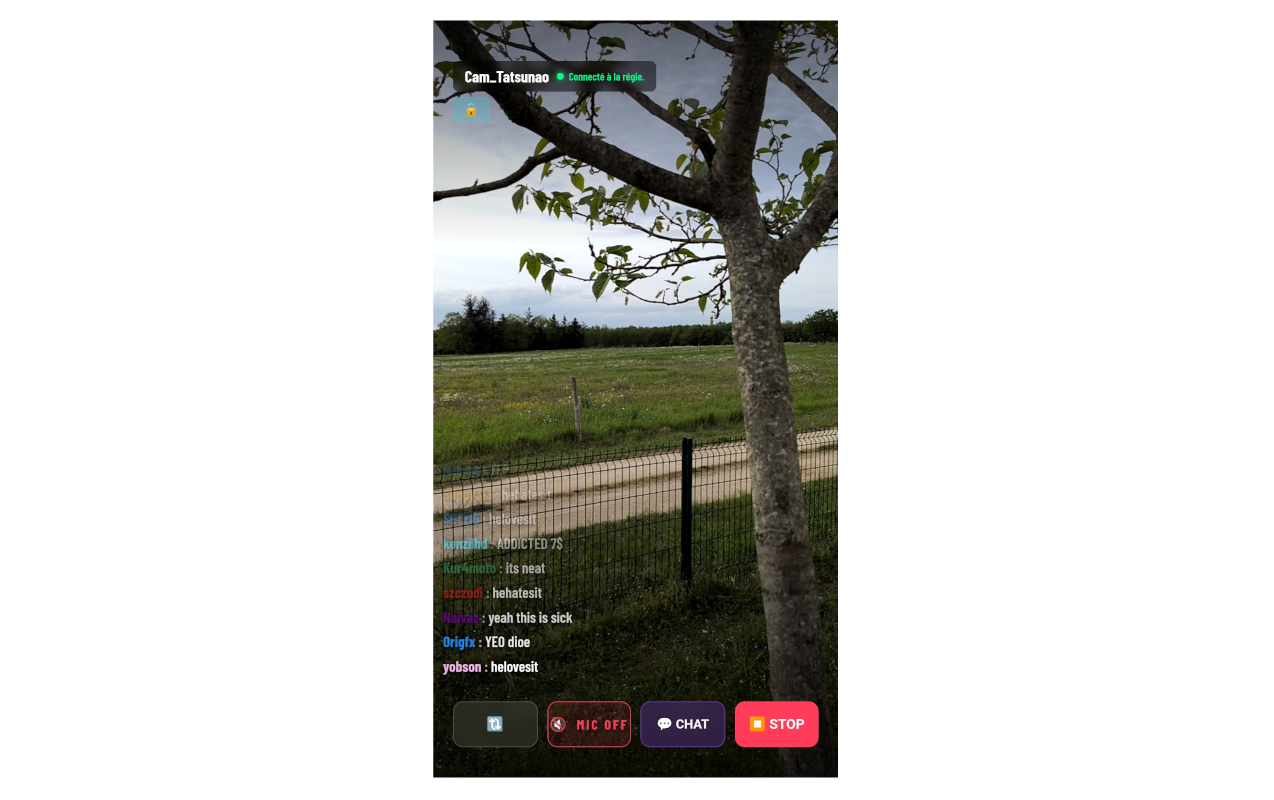
📱 The Camera Operator Experience (For the Participants)
The system is designed for "zero friction" on the participant's end.
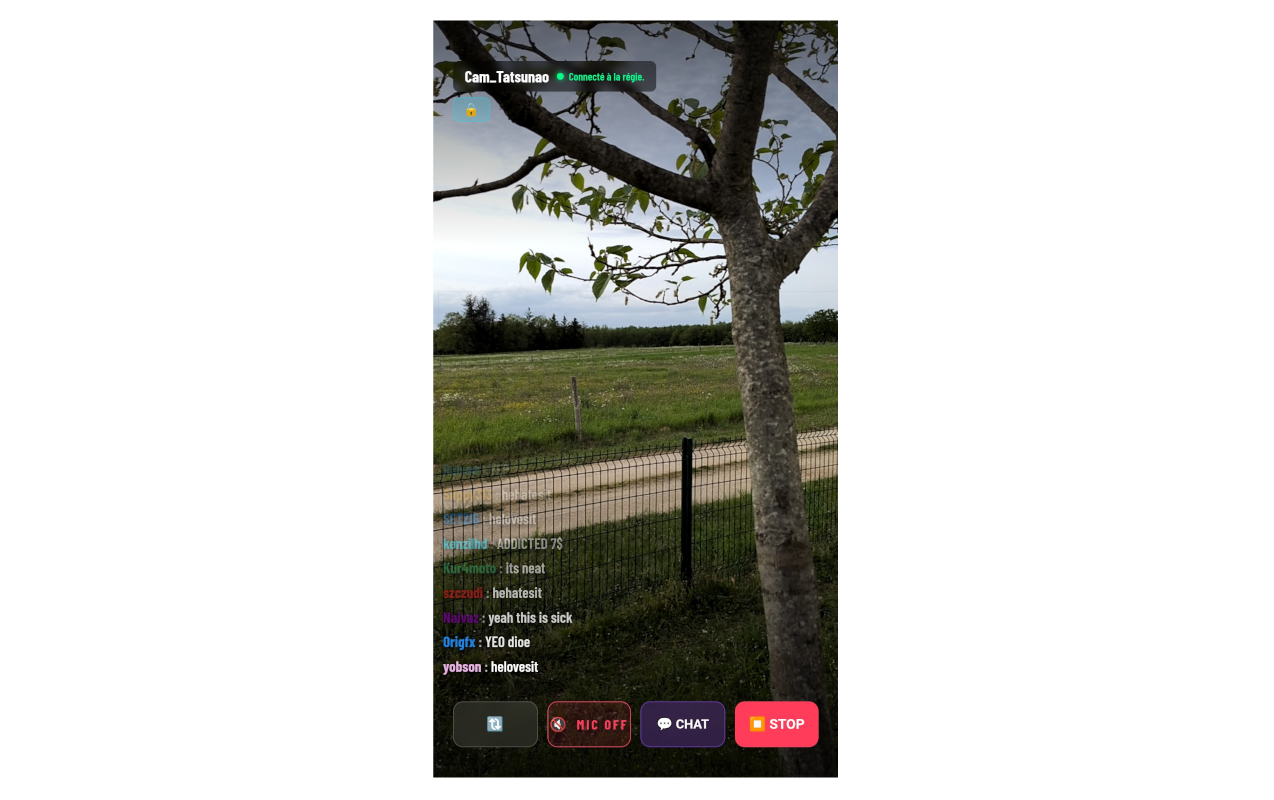
- Web-Based Access: Operators simply click a web link (Google Chrome is recommended), enter a display name, and start filming.
- Twitch Chat Integration: Participants can choose to display the streamer's live Twitch chat directly on their phone screen, allowing them to interact with the audience while filming.
- Uninterrupted Filming: The interface forces the phone screen to stay awake and allows operators to seamlessly toggle between their front and rear cameras without cutting the live feed.
- Network Resilience: The connection remains stable even if the operator's smartphone switches networks (for example, walking out of Wi-Fi range and switching to 4G/5G).
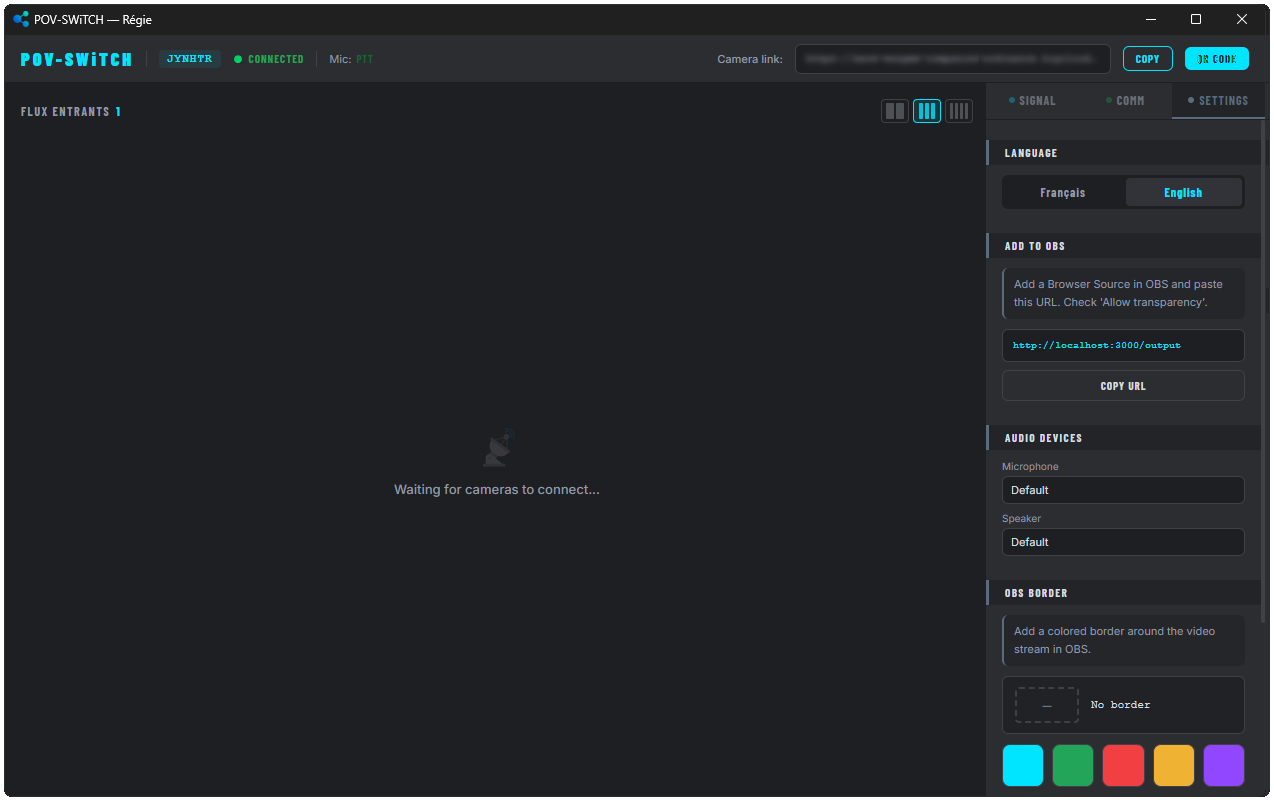
🎥 OBS Studio Integration
POV-SWiTCH handles all the heavy lifting of the video layout, meaning the streamer doesn't need to juggle multiple window captures.
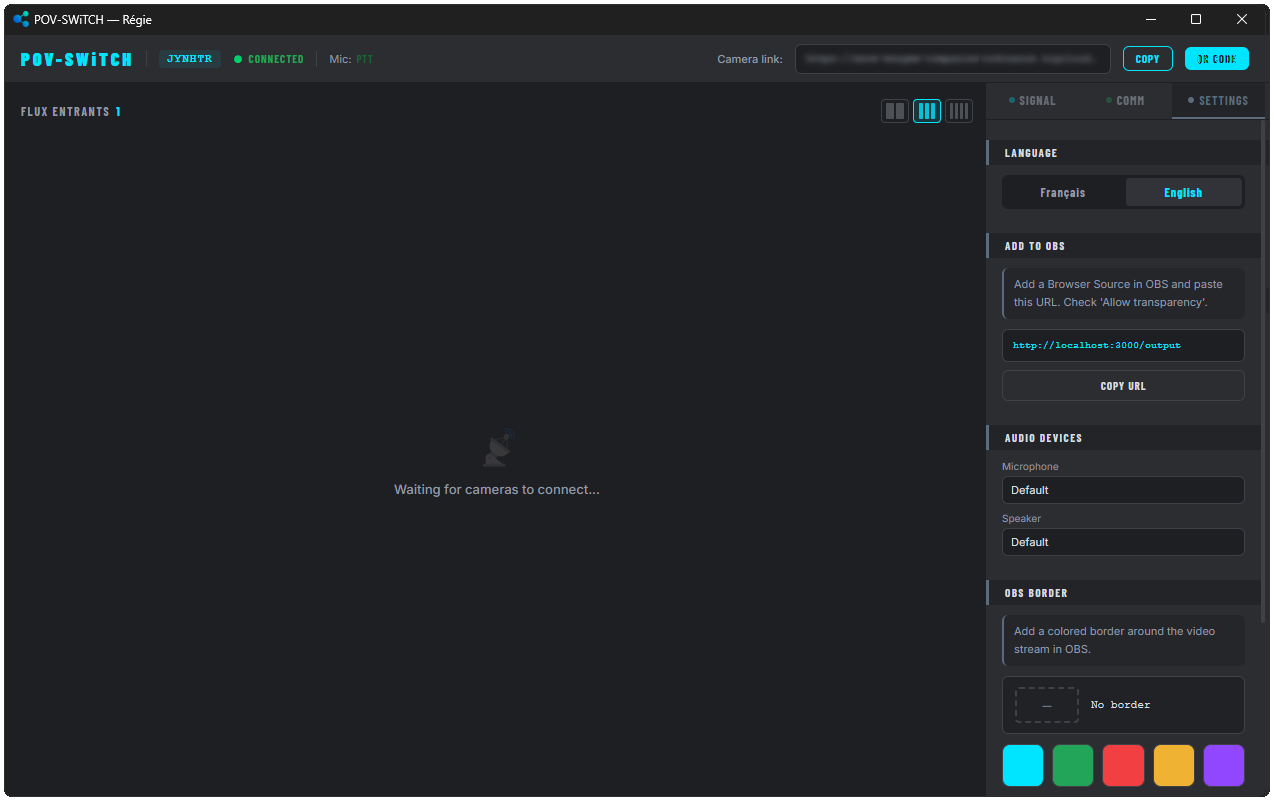
- Browser Source: The entire multi-camera setup is imported into OBS via a single, native "Browser Source" URL.
- Customizable Overlays: The software automatically generates and overlays customizable colored borders and the names of the camera operators directly onto the video feed, sending a clean, finished product straight to OBS.
⏬ DOWNLOAD : https://tatsunao.com/ ⏬
Github : https://github.com/Tatsunao/povswitch
Download
Leave a comment
Log in with itch.io to leave a comment.